Showing posts with label BlackBerry. Show all posts

Download BlackBerry Messenger v6.2.0.44

After the BlackBerry Messenger application in testing the beta zone, Research In Motion finally released the latest update for the BlackBerry Messenger (BBM) v6.2.0.44 official also appear in the BlackBerry App World. BlackBerry Messenger (BBM) v6.2.0.44 should be a lot of bugs are fixed.

You should receive notification about the latest update BlackBerry Messenger (BBM) v6.2.0.44 on your Blackberry, If when you open the App World is still seen the old version, please refresh first, by holding down the Alt key and press the R S T. RIM has announced Facebook, Twitter, BlackBerry Travel, BlackBerry App World, and BBM Music will be connected with the BlackBerry Messenger (BBM) v6.2.0.44.

What’s new in this BlackBerry Messenger (BBM) v6.2.0.44 :
  • Enjoy a new selection of Animated Avatars
  • Send Voice Notes more easily back & forth – streamlined Voice Notes allow you to set your convenience key to BBM, highlight a contact (or while in a chat), press the key, record and send.
  • Simpler way to change your Name & Personal Message – click on profile and start updating inline.
  • Tagging is now even quicker – BlackBerry Tag enhancements allows for automatic invitations and accepting within BBM.
  • Improved Contact Search – search will ignore special characters and emoticons to pull up all relevant contacts
Before downloading BlackBerry Messenger (BBM) v6.2.0.44, please back up your contact list by displaying the menu within BlackBerry Messenger – Options – Back Up. (Available for users of BBM 5.0 and above.) 

Download via  App World

Blackberry Blade Concept Design with BlackBerry 10 OS

Maybe you already know that until now, Research In Motion (RIM) is experiencing a dropping in the competition in the smartphone market. BlackBerry have not been able to catch up, even to match its rivals, the IOS from Apple and Google Android produced. However, the harsh reality that did not stop Research In Motion (RIM) to continue to release new products.

Now, they are preparing a new mobile phone soon to be released in the near future. In the interim, RIM gives name BlackBerry 10 to the new output products. Problems that often plagued the release of RIM's newest products is the similarity in terms of design forms. Pixelcarve, a design company, came up with the BlackBerry Blade concept that will most probably run on the BlackBerry 10 OS. The design of the Blackberry Blade is different from previous Blackberry devices where the Blackberry Blade has a design with a slightly curved into thin arches in each of its ends.
Blackberry Blade Concept Design

BlackBerry Blade comes with a screen 4.5 inci, 720 x 1280 pixel, and has been equipped with AMOLED technology and Gorilla Glass. Blackberry Blade is also supported for the touchscreen QWERTY mode or keyboard mode as well. Blackberry Blade running on a quad-core 1.5GHz processor, has a 12 MP camera at the back that does Full HD video recording, in addition to a front-facing 5 MP camera.

Blackberry Blade also supports to 4G LTE, Wi-Fi, HTML5, and Adobe Flash. Connectivity options include MicroHDMI, MicroVGA or MicroUSB ports, apart from a microSD memory card slot. This conceptual handset is made of aluminum and acrylic complete with Gorilla Glass which will ensure the front view looks to be very interesting.
Blackberry Blade Specs

When the design is actually marketed, RIM is expected to return to improve its position in the smartphone market once again tread on the map competition against Android and Apple.

Download UberSocial for BlackBerry v1.350 Offline Installer

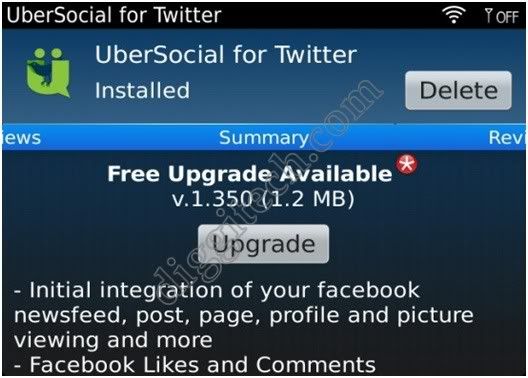
UberSocial for BlackBerry is a twitter client application is quite popular on Blackberry handset, UberSocial for BlackBerry smartphones has been updated to v1.350. No change log yet but will be updated shortly. UberSocial sets the standard for performance and functionality on BlackBerry. Many of the features common across Twitter today were created first on UberSocial. The innovation continues.

UberSocial is a full featured location aware Twitter client which supports all of the features of Twitter as well as advanced capabilities such as: photo integration, embedded videos in tweets, tweet shrinking, URL shortening, twitter lists, changing your twitter avatar, saved searches, conversation threads, twitter profile editing, view who is retweeeting you, and a plethora of other features. You can Download UberSocial for BlackBerry v1.350 Offline Installer with the link below.
UberSocial for BlackBerry v1.350 Offline Installer

KEY FEATURES:
  • Tweet/retweet, direct mentions, @replies, @mentions
  • Manage multiple accounts
  • Photo and video support integration with multiple providers
  • Location services including tagging and search
  • Protected tweet mode for privacy
  • A complete set of Twitter functionality
RECENT INNOVATIONS:
  • Set your BBM status automatically when you tweet
  • The Inner Circle creates a separate timeline of your closest friends
  • Celebrity themes (50 Cent, Ashton Kutcher, etc) include unique graphics, sounds and content
  • Deals from GroupOn, LivingSocial and others available in the optional DealBox
UberSocial v1.35 Also available via App World Here
Download UberSocial for BlackBerry v1.35 OTA Here
Download UberSocial for BlackBerry v1.350 Offline Installer

Download Opera Mini Next 7.0 for BlackBerry

Download Opera Mini Next 7.0 for BlackBerry - Opera Mini has long been an alternative browser for BlackBerry. Many things which we cannot do via the BlackBerry default browser can be done in Opera Mini. This time Opera Mini came with the newest version called Opera Mini 7.0 Next.

In its own features several changes from previous versions of opera mini in the newest version which is more focused on speed dial accesses social media pages and email just as facebook, twitter and gmail. Equipped with a turbo feature to access a web page of Opera Mini 7.0 Next to be faster. 
Opera Mini Next 7.0 for BlackBerry


Here's some stuff on Opera Mini 7.0 Next : 

1. Smart Page
The most visible new feature is perhaps the redesign of the start screen and the addition of Smart Page. This page gives you an overview of your favorite sites, latest updates from social networks (Twitter and Facebook), news gathered from your favorite sites (via their RSS feeds) and suggested links. Note that you can clear the Smart Page by selecting "Clear history" from the privacy settings.

2. Support for more than 9 speed dials
One common complaint has been the restrictions on the number of speed dials. We have now solved this and you can add as many as you like, or in practice as many as your device can handle. Synching your speed dials between desktop and Opera Mini should be a much nicer experience now. Note that there is a couple of known issue when synching with Opera Link. Speed dials may move around unexpectedly and the order can be inconsistent.

We have also added a convenient way to add new speed dials: just press the star found in the address bar (touch devices only).

3. Improved support for RTL
Right-to-left text in UI elements should now be correctly drawn. We would like to fix as many of the these bugs as possible, so if you find issues, please report them.

4. Tab improvements
Tabs can now be closed with one click on touch devices. And when you close a tab, Opera Mini will switch to the last used tab.

No more "www." in address bar

Most sites today can be used without the WWW prefix. So we have removed it as well. The auto completion still supports it of course.

Download Opera Mini Next 7.0 for BlackBerry

Download Memory Booster V4.3 for BlackBerry

Download Memory Booster V4.3 for BlackBerry - Diseases that often perch on the BlackBerry device's internal memory is the lack of available memory after being used for a long time. For Blackberry device users with a high enough memory specifications certainly will not be any problem. However, the old version of Blackberry users, must be experiencing discomfort.

The number of installed applications, data stored in internal memory, or cookies that are stored after browsing a few causes of loss of free space in memory. in order to have the extra space on your Blackberry device, you can use a software named Memory Booster V4.3. 
Memory Booster V4.3

Memory Booster v4.3 there are some significant changes, including changes in data visualization, which will allow users to see the performance of the phone with a more effective way. This application was nominated as Global Mobile App award 2011 by the GSM Association. Memory Booster sale in Blackberry App World with a price of $ 4.99.

Download Memory Booster V4.3

7 Best Features in BlackBerry PlayBook OS 2.0

7 Best Features in BlackBerry PlayBook OS 2.0 - Research in Motion (RIM) as the manufacturer of BlackBerry officially begin rolling upgrade Blackberry Playbook OS version 2.0. RIM claims to provide a number of improvements are better than ever. The new OS became available globally from today, Tuesday ( February 21, 2012) at 12.00 pm. Upgrading can be done for free, directly from each device. In the Playbook OS 2.0, is indeed not many new applications are included. RIM only enhance the capabilities of existing applications.
BlackBerry PlayBook OS 2.0

Check out the five most important features of RIM's new PlayBook 2.0 OS.

1. Display
Display Playbook 2.0 is an enhanced appearance. Distance-based QNX, like the Blackberry OS 10 to be launched this year. In Here, the user can change the order of a widget or menu buttons on the screen of this BlackBerry tablet. This was in accordance with the wishes of the user to customize the widget.

2. Integration of email, calendar and contact apps with social media
To make it easier to receive and manage messages, RIM seems to improve this feature. Users can receive email, calendar (schedule meetings, or whatever) with a contact and well connected with the social media from a friend in contact. To download a large file, email on the phone can be synchronized with the BlackBerry Playbook. Automatic user can download a large file in the Playbook via wifi connection.

3. BlackBerry Bridge 2.0
The BlackBerry Bridge app provides a unique Bluetooth connection between the BlackBerry PlayBook and core apps on the BlackBerry smartphone (including BBM, Email, Contacts, Calendar and Browser). The app lets you view the content on the larger tablet display for an optimized viewing and editing experience. The new BlackBerry Bridge app also provides a new remote control feature that allows a BlackBerry smartphone to be used as a wireless keyboard and mouse for a BlackBerry PlayBook.

4. Print to Go
The Print To Go feature is a cool way of integrating the desktop experience with the PlayBook. When you go to Print a document, you can send it to the PlayBook where you get a digital print version and you can even virtually shred the documents. This allows you to take the document with you on the go and review as well as sort your documents, without having to waste paper.

5. Android applications
The device is already included Playbook 2.0 Android-based applications that can be directly downloaded on BlackBerry App World. This is done to broaden the application base, not only based on BlackBerry OS, but also based on Android.

6. Video Chat 
Users are able to chat with friends in the Playbook directly or can be connected to High Definition TV. Interestingly, users can still chat while opening another application.

7. Web Experience
All the web at this Playbook 2.0 supports Adobe Flash Player 10.1 and HTML 5. In essence, the user can open the web in the Playbook same as on a desktop or PC.
We can also activate the Mute feature that is taking the news reader or writing on the web and get rid of ad pages, so read the writing on the web is more optimal and more comfortable.

RIM Gives Free Access to BBM Music Service 6 Months

After its launch in November, it seems RIM (Research in Motion) seeks to re-promote one of its applications, BBM Music with free access for six months. RIM announces 'a new promotion' BBM Music for Blackberry smartphone devices. These features are priced at USD 4.99 per month and users get unlimited access to 50 songs, and users can share songs with other fuel users (up to 500 BBM contact) at the same time or day. In fact, users can comment on the or to like the song.
Since its launch last August, BBM Music can be downloaded via the Blackberry App World, but only in some countries. Promotion that RIM is now done about this music BBM focused on providing a free service for four months for a new Blackberry user, especially in the United States, and for six months in England. Some of the leading music labels have supported Music fuel applications, including Universal Music Group, Sony Music Entertainment, Warner Music Group and EMI, so the total available songs can reach more than 10 million.

BeBuzz for BlackBerry Updated to v5.0.26

BeBuzz has become one of the best applications for the BlackBerry for a long time. And now the application has been updated to version 5.0.26! BeBuzz serve as a warning if a call came. In general, mobile users will use the ringtone for incoming call notification. Well, BeBuzz use different ways to the way in general. This application uses the existing LED signal on Blackberry devices.

At the time of this update, BeBuzz fixing some bugs like LED contacts are not working at the time free. Hit the break to find out what is new with v5.0.24!

What’s new?
  • Fixed contact LEDs not working while in free/unlicensed mode
  • Fixed coverage  indicator not working while in free/unlicensed mode
 Download the updated BeBuzz from App World

Download UberSocial v1.308 for BlackBerry

Download UberSocial v1.308 for BlackBerry - One of the popular Twitter client application that is ÜberSocial has received a small update which is an update is performed after the application earlier this month released v1.304, but the update just done a small update that essentially fix the bugs in the connection so that the current version available is v1.308. Included in this update was mainly fixes. One was for 3G/BIS connection loss after starting UberSocial. The other was the use of the carrier data plan even though BIS is configured in settings. Some users may not have noticed any exceptions with this, but the update is available for those who experienced it.

Changes from 1.304 to 1.308:
  • Resolved issue where users could sometimes see their carrier data plan being used instead of BIS
  • Resolved issue where some users would see their 3G and/or BIS service drop soon after starting UberSocial
  • Increased the size of the friendpicker list from 2000 to a maximum of 3000 screen names 
Ubersocial Also available via App World Here.
Download UberSocial for BlackBerry OTA Here.

BlackBerry PlayBook 3G+ 2012 Full Specifications

BlackBerry PlayBook 3G+ 2012 Full Specifications - Rumors will release the BlackBerry PlayBook 3G+ increasingly audible, BGR site reported that possibility BlackBerry PlayBook 3G+ will be released in February 2012. The rumored BlackBerry PlayBook 3G+ will be sporting some upgraded hardware in addition to OS 2.0. The new BlackBerry PlayBook is a 7-inch BlackBerry Tablet with Multi-touch capacitive display screen. Blackberry Playbook 3G will be equipped with 3G connectivity and Wi-Fi. From detail BlackBerry PlayBook 3G+ will be supported by HSPA   42Mbps connection  and 1.5GHz dual-core processors, and featuring Dual Camera (front 3MP and rear 5MP) ,Micro USB, Micro HDMI,Full HD video support,Multi-tasking,WiFi n ,and 1GB RAM .
BlackBerry PlayBook 3G+ 2012 Tablet Specification

  • Processor: Dual-core 1.5 GHz processor
  • Graphics: Yes
  • Chipset: TI OMAP 4460
  • RAM: 1GB
  • In Built Memory: 32/64 GB
  • MicroSD card slot: No
  • Operating System: Blackberry Tablet OS, v2.0
  • Camera: Primary 5MP (2592×1944 pixels), Secondary 3MP
  • Display: 7.0 TFT capacitive touchscreen, (600 x 1024 pixels)
  • Networks: GSM 850/900/1800/1900 (2G), HSDPA 850/900/1700/1900/2100 (3G)
  • Dimensions: 194x130x10mm
  • Weight: 425g
  • Bluetooth: v2.1, EDR
  • Wi-Fi: Wi-Fi 802.11 a/b/g/n
  • Battery: Standard battery Li-Po 4800 mAh

BeBuzz for BlackBerry v5.0.24, Give New Color On BlackBerry

Who use the application BeBuzz been able to get the latest updates for free if you've ever bought in advance.
BeBuzz formerly known BerryBuzz, The function of this application is to control the LED forward to see who is calling you. BeBuzz for BlackBerry updated to version 5.0.24 which serves to change the color of the LED so you can check email, SMS whom the entry of the color LED. Of course, once you set it up first. The application received a rather large update today bringing some neat new features, and some enhancements to fix bugs that were previously found. 
In this update was the addition of the ability to add custom colors to BBM contacts, users can now have the BBM messages displayed as a pop up instead of just a notification on the icon, a rework of the user interface and more. If you are a current user be sure to head over and grab the update, and If you are a BlackBerry user make sure you upgrade to version 5.0.24 BeBuzz. If you have trouble installing, you may click here. or download via App World.

Download BBM v6.1.0.49 With Some New Features

After a long available in the Beta Zone, eventually BBM New version 6.1.0.49 available as well for all Blackberry users can now be downloaded on the Blackberry App World. You should receive notification about the latest update BBM on your Blackberry, but if you do not receive notification of updates BBM v6.1.0.49, you can go to the App World and My World, will be seen the words "! upgrade available" and then you could directly BB Upgrade to the Latest version of BBM v6.1.0.49.

As explained previously that the Blackberry Messenger v6.1.0.49 has several new features and certainly not in the BBM previous version, among these features is: 

Chat Bubble is multicolored - Now you can change the color of Bubble Chat with your favorite colors. How to Change the Color Chat Bubble? Simply click the Profile's easy to stay in BBM v6.1.0.49 and then on the Bubble Chat chat bubble colors change color according to taste. 

Animated Avatars - with BBM v6.1.0.491 You can change the profile image using animated images, aka a moving picture that is more alive and more interesting. 

Update Status BBM v6.1.0.49 Longer - like Twitter, now you can update the status of up to 160 letters, and certainly not long enough you can be more interesting to Update Status BBM v6.1.0.49.

Other features such as additional Emoticons New to BBM v6.1.0.49., Support NFC (Specific Blackberry Dakota 9900, Blackberry Torch 9850 or Torch 9860 and Blackberry Newest to OS7 + features NFC) where we can invite friends to a fuel with just a tap (touching) the Blackberry's friends without having to use barcode or type a PIN number, faster and easier. Please Download BBM v6.1.0.49 New straight from the Blackberry App World.

Solitaire Game for BlackBerry Updated to Version 3.1.1

Who is not familiar with the game Solitaire? Solitaire is the most popular card games in the world. Introduced by Windows through its Software PC around the early 1990′s. In this update, you can play Solitaire and Spider version 3.0. Solitaire card game itself is the most popular in the world. In Solitaire, players try to sort 52 cards with four cards in sequence as the beginning of the game. Card game two of the most popular is the Spider. The aim of spider solitaire is to build a card accordingly dropped one order of the King to the U.S. in a single column


Solitaire game can be played on BlackBerry OS 5.6 and 7 with new features such as algorithms that can increase the odds, drag and drop (touch), unlimited undoes, unlimited hint, animation when switching cards and much more. If you are interested in this game, You can download this game here.

QuickLaunch for BlackBerry Now Supports For OS 7.0

NikkiSoft has released QuickLaunch for BlackBerry OS 7, whereas for users of OS 6.0 is expected soon. QuickLaunch is one of the most popular applications on a BlackBerry smartphone, and now RIM has managed to update the application so that it can use a row of new BlackBerry smartphones with OS 7.

Applications are often called the "Swiss army knife" of his BlackBerry will present several new features such as app shortcuts, screen captire and sharing, password auto fill, Bluetooth and many more. Update this QuickLaunch on the device OS 7.0 brings the following new features: Adds QuickLaunch items, choice of larger fonts, the transition from mobile Hotspot to the NFC, animated view of the battery, notifications and much more.
QuickLaunch for BlackBerry
QuickLaunch is application / functional changes QuickLaunch 4.0 currently sold, at a price of $ 1.99. See more info or get QuickLaunch 4.0 from App World

Updated Official BlackBerry App World v3.1.0.58

Still remember my post a few days ago? About how the BlackBerry ready to present a parental control feature? Looks like this latest appearance was prepared newest BlackBerry App World. And some of us may already be receiving the latest update to version 3.0.158.

BlackBerry App World v3.1 itself introduced some interesting changes to RIM's BlackBerry App Store by adding content ratings, applying gifting system, and ultimately allow users to access App World via WiFi. RIM continues to make small tweaks to the app since leaving beta status for the period mid-December. and now the latest version 3.1.0.58 already available.

BlackBerry App World v3.1.0.58

New things that can be found on this appworld view is that we can access based on the country where we are. This feature does not provide access when we already have applications that are stored in the BlackBerry.


A minor update has been issued for BlackBerry App World this afternoon. The Regions tab and other small bugs have been fixed with the new version so stay tuned for the upgrade as it makes its way to everyone's devices. please direct them to download the latest updates on the BlackBerry AppWorld.

Facebook Messenger 1.1.218 for BlackBerry

Facebook Messenger is an application for communication with Facebook friends directly via SmartPhone. Facebook Messenger is integrated with the messaging and chat up, so all conversations can be accessed directly on the application. 

Every message you send through Messenger are also stored as part of an ongoing conversation on Facebook. Facebook for BlackBerry Messenger just got the newest update to versi1.1.218. No other features were added. But this latest update brings bberapa changes such as improved logging and bug fixes.
 
Facebook Messenger for the newest BlackBerry claimed more quickly. For those of you who use this application, may have been updated to the newest version, but if you still do not get the special features of Facebook is you can download directly here.

BlackBerry Themes, To Accompany Christmas and New Year holidays

Among BlackBerry users, there may still be looking for a theme to enhance your smartphone. This time there is a choice that fits the BlackBerry theme to accompany us during the Christmas holiday and new year.


  1. Avio, BB7 the first theme of HedoneDesign . This theme as we bring in the BlackBerry device. If we want to be in a house with a classic style you can select them through this theme, and feel the nuances of vacation of course. Comes with a unique icon, ranging from vintage to modern, appears semi-transparent on-screen fonts and custom applications on the battery. Avio is available for OS 7.0.0. or 5.x.x to top. This theme will not work well on a lower version of OS 7.0. To celebrate this release, Hedone Design gives BlackBerry users the opportunity to download this theme for FREE on App World.
  2. The next theme is Merry Christmas, which brings the feel of Christmas and year-end holidays on the BlackBerry. Comes with animated snow and snowmen that can make us feel the Christmas also. Some of its features are: Theme customized to deliver outstanding display for the BlackBerry, adjust the battery meter display with the feel of Christmas, the display signal connection is replaced by the Staff Christmas and others. This theme is available on App World, and must use OS 4.5 to the top to be able to get this theme.

Facebook 2.1 for BlackBerry PlayBook, Introduces New Features

Facebook users can now enjoy the look up with a different look at the BlackBerryPlaybook, Facebook for BlackBerry Playbook updated to version 2.1 by adding several new features, The first is the Facebook Group. Now we can examine the text, images, and video with a more appealing notifications.We also will get a notification when a new post within a group. Media access for the better too. Now we can see pictures of friends and video clips on the right on our Facebook profile. Uploading images and videos are also now easier with the presence of a special notification. The last big update was over the summer, which included place check-ins and events.


Facebook on the PlayBook was a bit of a big deal when it first came out, since it was the first tablet-optimized app for the ubiquitous social network. Since then, Facebook has since launched an iPad app, and though we’re still waiting on an Android Honeycomb version.

You can snag the updated version of Facebook in the App World. 

BlackBerry App World 3.1.0.56 Officially


RIM has been updated to BlackBerry AppWorld v3.1.0.56 from the last version that is in betazone is v3.1.0.42. Update has started dipush and available for download to your BlackBerry. BlackBerry App World some time ago are still present in the beta zone. It did not take too long, this time the BlackBerry appworld really been present and addressed the BlackBerry users. This time the new App World brings features that had been anticipated, include wifi support, content ratings and more. It has been updated to version 3.1.0.56 and now officially available for download.


Features include:
  • Gifting/Begging - allows you to request that a friend or family member pay for any application within App World.
  • Content Rating - allows content providers to rate the maturity level of their content and for you to filter content based on their desired level
  • WiFi Only Support - will allow App World to still operate when a you only have a WiFi connection
  • New Language Support - Simplified Chinese, Traditional Chinese, Korean, Thai, Indonesian, Vietnamese, and Dutch

You should be prompted to update if you have an earlier verison installed, or you can head to blackberry.com/appworld from your device to download.