Showing posts with label Software. Show all posts

Download K-Lite Codec Pack 8.9.5 Full

Download K-Lite Codec Pack 8.9.5 Full - K-Lite Codec Pack is well known and many who already know, K-Lite Codec Pack is a software to play multimedia files, usually a film or video and music. Advantages of using K-Lite Codec Pack is compared with the other? The answer is "All In One", K-Lite Codec Pack is able to play all types of movie file formats. And even if you choose not likely that the package is not complete (the full version called the Mega codec).

K-Lite Codec Pack 8.9.5 can also easily add a specific codec for a particular file type. By installing K-Lite Codec Pack 8.9.5 on your computer or your laptop, then you no longer need to install other multimedia software. As multimedia file player, K-Lite Codec Pack is standard to use Media Player Classic (MPC). But you can also enter into windows media player codecs windows default.


What's New in K-Lite Codec Pack 8.9.5:
- Updated LAV Filters to version 0.50.5-41-g49a9330
- Updated Codec Tweak Tool to version 5.3.7
- Updated Icaros to version 2.1b2 

Download K-Lite Codec Pack 8.1.0 Full
Download K-Lite Codec Pack 8.1.0 Standard

Download Google Chrome 19 Stable Offline Installer

Google has released the latest stable build of Google Chrome 19 for Windows, Mac and Linux. Google Chrome 19.0.1084.46 Stable Offline Installer is the latest version of google that can be installed offline (without internet connection). Google Chrome 19.0.1084.46 Stable which comes with a new tab syncing feature that allows users to access the same tabs across multiple computers as well as an Android 4.0 phone with the Chrome beta app installed.

Google Chrome 19.0.1084.46 Stable allowing you to pick up browsing from where you left. Bookmarks, apps, extensions, history, themes, and other settings are also synchronized between devices. This latest Stable version will be available over the next few days, but the tab sync feature will roll out over the coming weeks.

Download Google Chrome 19 Stable Offline Installer

What’s new in Google Chrome 19.0.1084.46 Stable:
  • [112983] Low CVE-2011-3083: Browser crash with video + FTP.
  • [113496] Low CVE-2011-3084: Load links from internal pages in their own process.
  • [118374] Medium CVE-2011-3085: UI corruption with long autofilled values.
  • [118642] High CVE-2011-3086: Use-after-free with style element.
  • [118664] Low CVE-2011-3087: Incorrect window navigation.
  • [120648] Medium CVE-2011-3088: Out-of-bounds read in hairline drawing.
  • [120711] High CVE-2011-3089: Use-after-free in table handling.
  • [121223] Medium CVE-2011-3090: Race condition with workers.
  • [121734] High CVE-2011-3091: Use-after-free with indexed DB.
  • [122337] High CVE-2011-3092: Invalid write in v8 regex.
  • [122585] Medium CVE-2011-3093: Out-of-bounds read in glyph handling.
  • [122586] Medium CVE-2011-3094: Out-of-bounds read in Tibetan handling.
  • [$1000] [123481] High CVE-2011-3095: Out-of-bounds write in OGG container.
  • [123733] [124182] High CVE-2011-3097: Out-of-bounds write in sampled functions with PDF.
  • [Windows only] [124216] Low CVE-2011-3098: Bad search path for Windows Media Player plug-in.
  • [124479] High CVE-2011-3099: Use-after-free in PDF with corrupt font encoding name.
  • [124652] Medium CVE-2011-3100: Out-of-bounds read drawing dash paths.
  • [125462] High CVE-2011-3102: Off-by-one out-of-bounds write in libxml.
Download Google Chrome for Windows
Download Google Chrome for Mac OS
Download Google Chrome for Linux

Download Skype 5.9 Final Offline Installer

Skype has just released the newest version Skype 5.9.0.114 Final. Now you can Download Skype 5.9.0.114 Final Offline Installer. Some new functionality has been added to Skype 5.9 which will help people use Skype with more ease. In Skype 5.9.0.114 Final, a confirmation message will appear if anyone drags a new contact in the group conversation. This course is very useful for the wrong contacts are added to the group conversation.

With Skype 5.9.0.114 Final you can now use a hotkey to take a snapshot during video calls (Tools>Options>Advanced>Hotkeys). For skype user from australia there is good news for you, in this update you can make international calls by using 011. Including improvements to the Skype 5.9 on the touch screen, share your profile (you can now change the phone number country code), video and group conversations (full name is now displayed). The complete list is available.

What’s new in Skype 5.9.32.114:
Improvements:
  • A new confirmation message when sending a contact to a group conversation
  • A new Hotkey for taking snapshots during video calls
  • Improved non-standard international phone number recognition for Australian users
  • The ability to opt-out from silent updates
Resolved issues:
  • Screen sharing: Red contours shared window had defects when moving the window around
  • Screen sharing: It was not possible to initiate screen sharing session when user was in invisible state
  • Video: Webcam in use message was not displayed properly
  • Profile: It was not possible to change on your own profile your phone numbers country code
  • Generic: Skype crashed when pressing “esc” while editing contacts phone number
  • Video: Video preview did not close after switching the video off
  • Calling: Add people to call did not list contacts from other contact list than currently active
  • Accessibility: When receiving multiple files at once the file
  • Options: Seldom expanding options sub menus did not work
  • Group conversations: Sometimes instead of contacts full name a Skype name was shown instead on group calls
  • Generic: On two monitor setup when switching from default mode to compact mode Skype was put to secondary monitor
  • Localization: Localization to all languages updated
Download Skype 5.9.0.114 [Windows]

Download Google Chrome 18.0.1025.152 Stable Offline Installer

Google announces the release of Google Chrome 18.0.1025.152 Stable for Windows, Mac, Linux and Chrome Frame. Google Chrome 18.0.1025.152 Stable It comes up with many improvements as well as some performance, stability, and security fixes.

Google Chrome 18.0.1025.152 Stable attend to the problem that causes Chrome displays an error message when requesting a web page using HTTP with SSL. (Issue 118 706: HTTPS / Certificate websites always have an “Invalid Server Certificate” Error).  Google Chrome 18.0.1025.152 Stable enabled GPU accelerating 2D Canvas, and enabling 3D content for older GPUs For Windows and Mac users. To find out if you have GPU support this feature and whether hardware accelerated features have been activated you can type “chrome://gpu” in the address bar.


Key features of Google Chrome :
  • Web browsing and execution of search
  • Save your favorite Web pages and add them to your bookmarks
  • Open web pages in different tabs
  • Go to the most visited Web sites and search terms
  • Easy downloading files
  • Create shortcuts to web applications
  • Incognito mode – to view web pages without saving the information
  • Manage your browsing history
  • Isolate the tabs working properly
What’s new in Google Chrome 18.0.1025.152 Stable
  • Fixed issues with SSL (Issue 118706: HTTPS/Certificate websites always have “Invalid Server Certificate” Error)
Download Google Chrome for Windows
Download Google Chrome for Mac OS
Download Google Chrome for Linux

Download TweetDeck v1.3 for Windows and Mac OS

One of the popular Twitter client TweetDeck released a new version that has reached version 1.3. On TweetDeck v1.3 changes occur on features and performance improvements. New features include the ability to preview media such as images and video. Now tweet form of images and video can be directly displayed at the top of the tweet. This is very helpful because we usually have to go back and forth to the web browser just to open the video and pictures.

Another new feature list management where the use of now can create, modify and delete the list directly from TweetDeck. Even TweetDeck brings its own Lists button so users more easily manage the list. TweetDeck also change the term "Quote Tweet" to "Edit & RT". But unfortunately the function to set the size of the column has not been applied to this latest version.

What's New in Version 1.3
ADDED: Lists button opens list management screen
ADDED: Create a new list from list management screen
ADDED: Edit list properties & membership from list management screen
ADDED: Edit list from list column settings
ADDED: Add/Remove a user to/from lists via user actions drop-down menu
ADDED: New setting to enable/disable in-line media previews
ADDED: Full-size media preview on image/URL click
ADDED: New column type: Interactions
ADDED: New column type: Activity
ADDED: More picture upload services
ADDED: “Edit & RT” retweet style
ADDED: “What’s new...” splash-screen 

For users of previous versions of the latest version of TweetDeck is already available in the auto update for both versions of Windows, Mac OS X and Google Chrome. For new users who want to try this application can be downloaded at the link below. 
 
Download for Windows
Download for Mac OS X

Download Google Chrome 18.0.1025.142 Stable Offline Installer

Google Chrome Stable channel release new update Google Chrome 18.0.1025.142 on Windows, Mac, Linux. Google Chrome 18.0.1025.142 Stable contains a number of new features including faster and fancier graphics. In addition, this release includes fixes for nine security issues. 

Google Chrome 18.0.1025.142 Stable which would give the device an improved graphics and HTML 5 Canvas for 2D, so that canvas-based games and animations run faster and feel smoother. Even be said also that the Google Chrome 18.0.1025.142 Stable will be faster when opening some appropriate site. The increase is due to Google Chrome 18.0.1025.142 Stable graphics are already using TransGaming’s SwiftShader that allows applications WebGL 3D graphics chip or a platform that usually do not support this example only on Windows XP systems.
Download Google Chrome 18.0.1025.142 Stable Offline Installer

Key features of Google Chrome :

  • Web browsing and execution of search
  • Save your favorite Web pages and add them to your bookmarks
  • Open web pages in different tabs
  • Go to the most visited Web sites and search terms
  • Easy downloading files
  • Create shortcuts to web applications
  • Incognito mode – to view web pages without saving the information
  • Manage your browsing history
  • Isolate the tabs working properly
What’s new in Google Chrome 18.0.1025.142 Stable :
  • Enabled GPU-accelerated rendering of 2D Canvas content.
  • Added support 3D content for older GPUs.
Download Google Chrome for Windows
Download Google Chrome for Mac OS
Download Google Chrome for Linux

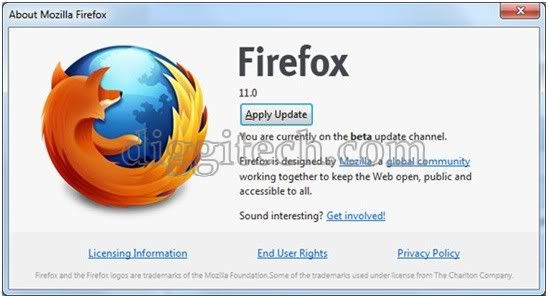
Ddownload Firefox 11 for Windows, Mac OS and Linux

Mozilla has upgraded Firefox 11.0 Final for Windows, Mac, and Linux. Do not wait too long after Firefox 10 is made, it seems we already have a new version of Firefox that has been present today. New features of Firefox 11 will include the ability to import Google Chrome bookmarks, history, bookies, passwords, form data and settings, which are suitable for people who love Firefox.

Other features include a new tool for developers to examine elements such as Tilt, 3D rendering support for WebGL system, the new editor, and as usual some bug fixes. Mac users will have additional features that Growl notifications, and the option to synchronize the add-on Firefox on a computer that sounds very interesting for you Firefox fans.
Firefox 11

Here are some key features of “Firefox”:
  • Comprehensive popup controls to keep unwanted advertising off your desktop;
  • A tab browsing mode that lets you open several pages in a single window, allowing you to load links in the background without leaving the page you’re on;
  • Integrated search (powered by Google);
  • Industry leading accessibility with Find As You Type – find links and page text by simply typing;
  • Simplified privacy controls that let you cover your tracks more effectively;
  • A streamlined browser window that lets you see more of the page than any other browser while at the same time being more configurable;
  • A large variety of free downloadable extensions and themes that add specific functionality and visual changes to the browser.
Download Firefox 11.0 for Windows
Download Firefox 11.0 for Mac
Download Firefox 11.0 for Linux

Google Chrome 17.0.963.79 Stable Offline Installer

Google Chrome Stable channel release new update Google Chrome 17.0.963.79 on Windows, Mac, Linux. Google Chrome Stable 17.0.963.79 - Offline Installer is the latest version that has been fixed so that more robust security system from hacker attacks after earlier versions had uprooted by a hacker contest held on Google to find a gap of security bugs in Google Chrome.

Google Chrome 17.0.963.79 is a minimal design with highly practical, the Web faster, easier and safer to make a free web browser designed by Google. If we notice very little memory usage points, improved properties and tabs in different positions, the page source code control, hidden modes, superior speed of JavaScript, a nice and easy download manager, quick access and convenience to all the menus. 

Key features of Google Chrome :

  • Web browsing and execution of search
  • Save your favorite Web pages and add them to your bookmarks
  • Open web pages in different tabs
  • Go to the most visited Web sites and search terms
  • Easy downloading files
  • Create shortcuts to web applications
  • Incognito mode – to view web pages without saving the information
  • Manage your browsing history
  • Isolate the tabs working properly
New In  Google Chrome 17.0.963.79 Stable
  • Fixes issues with Flash games
  • Critical CVE-2011-3047: Errant plug-in load and GPU process memory corruption.
Download Google Chrome for Windows
Download Google Chrome for Mac OS
Download Google Chrome for Linux

Download Skype 5.8.0.158 Final Offline Installer

Skype has just released the newest version Skype 5.8.0.158 Final With Some Fixed Issues For bWindows. Skype is an application that can be used to communicate with technology P2P (peer to peer). Skype 5.8.0.156, including freeware and made ​​with the aim of providing a means of voice communication (voice) low-cost high-quality internet-based for all the people in various parts of the world.

Since its launch Skype has experienced rapid growth both in popular usage and development of its software, services offered was a range from the use of free and paid. Skype 5.0 features a streamlined interface, Facebok integration, and videoconferencing functionality. Last but not least, Skype now has Facebook integrated seamlessly into the interface. A tab along the top of the screen will take you into your news feed, where you can update your status as well as start Skype calls with various contacts.

 Features:
• Free unlimited worldwide phone calls to anyone else on Skype, anywhere in the world
• Skype video (webcam), see who you are talking to with free video calls
• Chat with up to 100 people in group chats
• Superior sound quality – better than your regular phone
• Your calls are encrypted “end-to-end” for superior privacy
• Friends list shows you when your Skype friends are online and ready to talk or chat
• Works with all firewall, NAT and routers – nothing to configure!
• Super-simple and easy to use
• Based on cutting edge peer-to-peer technology developed by the creators of Kazaa and Joltid In order to use Skype for Windows software.
• SkypeOut– You can call a real phone number from Skype. This is not free like Skype to Skype calls but is cheaper than what the call would normally cost.
• SkypeIn – For people to be able to call your Skype account from a phone, you need a SkypeIn number to give to them. Receiving calls from phones doesn’t cost you anything but will charge the caller the same rate as if they were calling a real phone.
• Video calls – You can make video calls for free using Skype. This enables you to see the person you are talking to and for them to see you too.
• Conference calls – You and 24 other people can engage in a conference call using Skype. This makes having group discussions with staff that are located in various parts of the world much easier.
• File Sharing – You can easily send files over Skype to any of your Skype contacts. There are no size limits for the file, which is a benefit over email restrictions. For security reasons, before the file transfer can begin, the recipient has to approve the transfer, thus the person has to be online for the file transfer to take place.
• Instant messaging – In addition to talking with your Skype contacts, you can type messages to them while you are having a voice conversation or if you cannot talk to them at a particular moment.
• Text messaging – You can use Skype to send text messages to any cell phone in the world. The rates vary but are generally cheaper than what a text message usually costs.
• Voicemail – If you want people to be able to leave you voice messages while you are on another call or offline. 

Download Skype 5.8.0.158 Final Offline Installer

Google Chrome 17.0.963.66 Stable Offline Installer for Windows, Mac, Linux

Google Chrome Stable channel release new update Google Chrome 17.0.963.66 on Windows, Mac, Linux. Google Chrome 17.0.963.66 is a minimal design with highly practical, the Web faster, easier and safer to make a free web browser designed by Google.

If we notice very little memory usage points, improved properties and tabs in different positions, the page source code control, hidden modes, superior speed of JavaScript, a nice and easy download manager, quick access and convenience to all the menus.


Key features of Google Chrome :
  • Web browsing and execution of search
  • Save your favorite Web pages and add them to your bookmarks
  • Open web pages in different tabs
  • Go to the most visited Web sites and search terms
  • Easy downloading files
  • Create shortcuts to web applications
  • Incognito mode – to view web pages without saving the information
  • Manage your browsing history
  • Isolate the tabs working properly
Download Google Chrome for Windows
Download Google Chrome for Mac OS
Download Google Chrome for Linux

Free Download Windows 8 Consumer Preview

Taking a moment of technological event Mobile World Congress (MWC) 2012, Microsoft released a version of "Consumer Preview" of the newest operating system, Windows 8. Windows 8 Consumer Preview or can we call a beta version of Windows 8 can be used by the public free of charge until the final version is available.However, because it is still testing, Microsoft does not guarantee any programs or computational processes can be run well.

Windows 8 Consumer Preview, by Stefen Sinofsky, brought more than 100,000 changes or improvements over version of the Developer Preview. Microsoft previously released a Developer Preview version of Windows 8 at the end of 2011 last year and has been downloaded more than three million times. Microsoft called Windows 8 as the most significant redesign of the Windows interface, since they present a Windows 95.

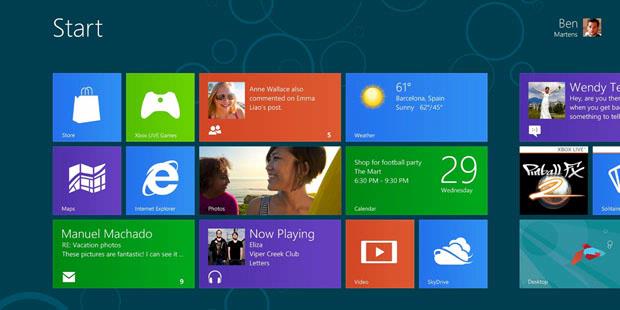
the emphasis of the new design is at the interface of Windows 8 "Metro style" which refers to the interface used in current Windows Phone platform. For the first time, the famous Windows "Start" is not used anymore and will be replaced by a menu-based panel sliding (sliding panel-based menu). In Windows 8, Microsoft is trying to combine the look and experience of the use of smartphones, tablet, and desktop computers.

Unlike previous Windows versions that support only the x86 processor architecture, Windows 8 also supports the ARM chip that is widely used in tablet devices generally. Users of Windows 8 will be a lot using the shear (sliding) to access the menus or applications. However, Microsoft will still use the traditional Windows layout (by combining with sliding method) for the convenience of users in using applications, such as Word and Excel.

You are interested to try it? you can download it from this page http://preview.windows.com/

Yahoo Messenger 11.5.0.192 Offline Installer

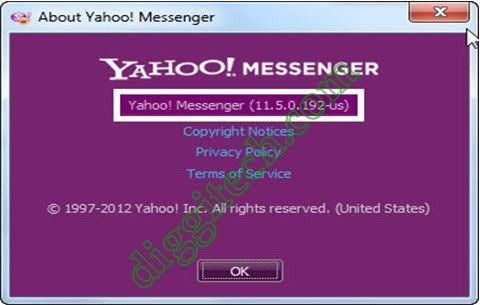
Yahoo Messenger 11.5.0.192 Offline Installer - On this occasion technoberry will give Yahoo Messenger application. Although there are many applications of instant chat function, such as those developed by Microsoft MSN Messenger, Yahoo, Skype and similar applications. Yahoo is the most popular instant application in all corners of the world.

Yahoo Messenger 11.5.0.192 is a software solution that allows users to send and receive messages through an Internet connection, but the application has grown so much lately that now more than that. It comes with a built-in photo sharing, file transfer capabilities, support for video calls, online games, themes, and many others.

Yahoo Messenger 11.5.0.192 has become a trend nowadays to greet each other online and admonished not only spoken, but Yahoo Messenger has a feature for house calls berbiara video or face to face. It aims to further menenal friends and friends and see the activity going on. If you want to have Yahoo Messenger, please download the application below.
 
Changes in Yahoo! Messenger 11.5.0.192

  • Tabbed IMs – One of the most highly sought after features! We heard you loud and clear that being able to effectively organize and manage your conversations is important. No more clutter or juggling – with tabbed IMs, you get to chat with all your friends from one easy and convenient window..
  • Improved Spam Management – We hate spam as much as you do, and our battle against it is an ongoing one. If you have been receiving invitations from random strangers, you can now ignore multiple add requests with a single click.
  • New Social Games – Level up on how you are keeping in touch with your friends and family. With over 70 exciting games such as Backyard Monsters, Township and ourWorld, Yahoo! Messenger lets you chat and play games with friends at the same time! Get your friends involved by sharing your game activities and play-status so that friends can join your game and you can join theirs.
  • Easy Access to Recent Contacts – You may have over a hundred Messenger friends, but most of us chat with only a handful – and usually the same handful – on a regular basis. Your recent contacts now appear at the top of your contact list, so it’s quick and easy to reach out to your regular IM friends.
  • Smart Archiving – Looking up an old IM conversation has never been easier. Your chat history is now categorized by friends, with your most recent conversations showing up first. What’s more, your IM conversations can be retrieved from any PC or web browser where you have signed in to Yahoo! Messenger.
  • Snap and Share – Add more color to your chat conversations! In addition to photos, you can now take a quick snap shot of your computer screen and easily share it with your friends.
  • Quick Access to All Emoticons – Yahoo! Messenger has always had some hidden emoticons that weren’t available on the emoticon menu, which meant you had to memorize their shortcuts. Now you no longer have to rack your brain to remember the shortcut for the monkey emoticon (it’s, for those keeping score). The emoticon menu gives you quick access to all the emoticons, and even remembers the ones you use most frequently!
  • Now in Romanian too – Finally, we value all our users around the world and try as much as we can to deliver a truly local experience. With this new release, millions of users in Romania will now be able to use Yahoo! Messenger in Romanian by selecting it from the language box on the sign-in page!
Download Yahoo! Messenger 11.5.0.192 Offline Installer

Download Skype 5.8.0.156 Offline Installer

Download Skype 5.8.0.156 Offline Installer - On the first post we have share links Skype 5.7.0.137 Beta Offline Installer, this time technoberry.blogspot.com will share skype Skype 5.8.0.156 Final. If your Skype crashes quite frequently, chances are this hotfix released for version 5.8 of the application might eliminate the annoyance. Not much has been modified in this release, as the changelog for Skype 5.8.0.156 shows only two entries. Skype is an application that can be used to communicate with technology P2P (peer to peer). Skype 5.8.0.156, including freeware and made ​​with the aim of providing a means of voice communication (voice) low-cost high-quality internet-based for all the people in various parts of the world.

Since its launch Skype has experienced rapid growth both in popular usage and development of its software, services offered was a range from the use of free and paid. Skype 5.0 features a streamlined interface, Facebok integration, and videoconferencing functionality. Last but not least, Skype now has Facebook integrated seamlessly into the interface. A tab along the top of the screen will take you into your news feed, where you can update your status as well as start Skype calls with various contacts.
Skype 5.8.0.156

 Features:
• Free unlimited worldwide phone calls to anyone else on Skype, anywhere in the world
• Skype video (webcam), see who you are talking to with free video calls
• Chat with up to 100 people in group chats
• Superior sound quality – better than your regular phone
• Your calls are encrypted “end-to-end” for superior privacy
• Friends list shows you when your Skype friends are online and ready to talk or chat
• Works with all firewall, NAT and routers – nothing to configure!
• Super-simple and easy to use
• Based on cutting edge peer-to-peer technology developed by the creators of Kazaa and Joltid In order to use Skype for Windows software.
• SkypeOut– You can call a real phone number from Skype. This is not free like Skype to Skype calls but is cheaper than what the call would normally cost.
• SkypeIn – For people to be able to call your Skype account from a phone, you need a SkypeIn number to give to them. Receiving calls from phones doesn’t cost you anything but will charge the caller the same rate as if they were calling a real phone.
• Video calls – You can make video calls for free using Skype. This enables you to see the person you are talking to and for them to see you too.
• Conference calls – You and 24 other people can engage in a conference call using Skype. This makes having group discussions with staff that are located in various parts of the world much easier.
• File Sharing – You can easily send files over Skype to any of your Skype contacts. There are no size limits for the file, which is a benefit over email restrictions. For security reasons, before the file transfer can begin, the recipient has to approve the transfer, thus the person has to be online for the file transfer to take place.
• Instant messaging – In addition to talking with your Skype contacts, you can type messages to them while you are having a voice conversation or if you cannot talk to them at a particular moment.
• Text messaging – You can use Skype to send text messages to any cell phone in the world. The rates vary but are generally cheaper than what a text message usually costs.
• Voicemail – If you want people to be able to leave you voice messages while you are on another call or offline. 

Download Skype 5.8.0.156 Final Offline Installer

Free Download K-Lite Codec Pack 8.4.0

Free Download K-Lite Codec Pack 8.4.0 - For those of you that hobby watch videos and listen to audio from your computer, then one of the most necessary thing is the Codec. The more complete codec on ​​your computer, so the more types of audio and video formats that can be played on your computer. One of the popular collection of codecs and what you get for free is a K-Lite Codec Pack!

K-Lite Codec Pack 8.4.0 is a collection of VFW/ACM codecs, DirectShow filters and tools. Codecs and DirectShow filters are needed for encoding and decoding (playing) audio and video formats. The K-Lite Codec Pack is designed as a user-friendly solution for playing all your audio and movie files. With the K-Lite Codec Pack you should be able to play all the popular audio and video formats and even several less common formats.

There are four versions of the K-Lite Codec Pack: Basic, Standard, Full and Corporate.
• Basic contains only the most essential things. It contains everything you need to be able to play the two most popular and widespread formats: DivX and XviD. With this you should be able to play DVDrips and TVrips.
• Standard contains everything you need to play all the commonly used formats. This package should be enough for the average user.
• Full supports even more audio and video formats. It also has encoding support for various formats. This package is for power users and people who do video editing/encoding.
The K-Lite Codec Pack is compatible with Windows 2000, XP, 2003, Vista, and Seven.
 
Changes in K-Lite Codec Pack 8.4.0 | 2012-02-15:
- Updated Media Player Classic Home Cinema to version 1.6.1.4074
- Updated ffdshow to version 1.1.4324
- Updated LAV Filters to version 0.46 build 2012-02-15
- Removed Haali Muxer
- Removed ACM and VFW codecs
- This is now a playback only pack. Use the Mega pack if you need codecs for encoding.
- Updated Codec Tweak Tool to version 5.1.5
- Updated Win7DSFilterTweaker to version 4.8

Download K-Lite Codec Pack 8.4.0 Full
Download K-Lite Codec Pack 8.4.0 Standard 

This is the Display Office 15, Successor Office 2010

This is the Display Office 15,  Successor Office 2010 - In 2012, Microsoft has promised to release a software business office and the latest generation of Microsoft Office. Office 15 is ready to resume the previous version of Office 2010. Office 15 is currently under development and it seems like Microsoft will soon release a beta version soon, it could be coincided with the beta version of Windows 8.  

On Thursday (09.02.2012), Microsoft leaked the Office 15 user interface that looks much simpler and cleaner than its predecessor version. Enterprise software giant display shows Office 15 for Word, Excel, PowerPoint, and OneNote in a video published by The Verge technology site.

In the screenshot below, you can see how Microsoft put a lot more white space and use fewer lines, enabling them to focus more on content.

Word
  
Excel

 PowerPoint

 OneNote

Ribbon (ribbon) in the image above is not enabled. Microsoft is still hiding in the Office 15 Ribbon designs. There is clear indication that the display adapted to display Office 15 Metro that will be used in the operating system (OS) Microsoft, Windows 8. Also did not rule out Microsoft Office 15 was preparing to get used to the tablet operating system Windows 8.

Google Chrome 17.0.963.46 Stabel Offline Installer

Google Chrome 17.0.963.46 Stabel has been launched. Browser version is claimed to be a promising browsing experience is much faster and safer. Promised speed Google in this version can be realized thanks to the prerender. So when the user starts typing in the address bar (omnibox), Google Chrome will soon make the page prerender to surf in the virtual world would be more speeding. Google Chrome 17.0.963.46 Stabel Offline Installer is the latest version can be installed offline (without internet connection). Google Chrome 17.0.963.46 Stabel supported platforms (Windows, Mac, Linux and Chrome Frame).

Google Chrome is known as the browser with a simple but has great speed. Besides speed, the browser also promises security by protecting users from downloading malware (malicious). Google Chrome 17.0.963.46 Stabel is now a check on the downloaded executable file of the user. Checking is then followed by matching the 'white list', to see whether the file contains a virus or not.

What’s new in Google Chrome 17.0.963.46 Stable:
  • New Extensions APIs.
  • Updated Omnibox Prerendering.
  • Download Scanning Protection.
  • Many other small changes.
For those who want to try this new browser, can directly download link below  
Download Google Chrome for Windows
Download Google Chrome for Mac
Download Google Chrome for Linux

Mozilla Firefox 10.0 Final Download for Mac, Windows, Linux

Mozilla Firefox 10.0 Final has been released and is available to download for Mac, Windows, and Linux users. The new version isn’t too different from version 9, but includes bug fixes, better extension management, an auto-hiding forward button, improvements to CSS3 capabilities, and antialiasing support for WebGL, as well as some other additions that the average user probably won’t notice. The release notes are posted below for those interested, otherwise just download and enjoy. 

Mozilla Firefox 10.0 Final also will be the first version of Firefox that will get a version of Extended Support Release (RSE). The ESR release has been designed for companies, organizations and users who cannot keep up with deploying new Firefox versions every six weeks. Firefox ESR releases will follow the rapid release process, but increase only by a minor version whenever the standard version increases by a major version. Regular Firefox 10 users will be moved to Firefox 11 in six weeks time, while Firefox 10 ESR users will be moved to Firefox 10.1 instead.

What’s New in Firefox 10 Browser
  • NEW – The forward button is now hidden until you navigate back
  • NEW – Anti-Aliasing for WebGL is now implemented
  • NEW – Full Screen APIs allow you to build a web application that runs full screen
  • NEW – CSS3 3D-Transforms are now supported
  • HTML5 – New element for bi-directional text isolation, along with supporting CSS properties
  • DEVELOPER – Inspect tool with content highlighting, includes new CSS Style Inspector
  • DEVELOPER – We’ve added IndexedDB APIs to more closely match the specification
  • FIXED – Some users may experience a crash when moving bookmarks
Firefox 10 can be downloaded from this following link, please choose the OS that you use, Windows, Linux, or Mac.
Download Firefox 10.0 for Windows
Download Firefox 10.0 for Linux
Download Firefox 10.0 for Mac

Download K-Lite Codec Pack 8.2.0

Download K-Lite Codec Pack 8.2.0 - For those of you that hobby watch videos and listen to audio from your computer, then one of the most necessary thing is the Codec. The more complete codec on ​​your computer, so the more types of audio and video formats that can be played on your computer. One of the popular collection of codecs and what you get for free is a K-Lite Codec Pack!

K-Lite Codec Pack 8.2.0 is a collection of VFW/ACM codecs, DirectShow filters and tools. Codecs and DirectShow filters are needed for encoding and decoding (playing) audio and video formats. The K-Lite Codec Pack is designed as a user-friendly solution for playing all your audio and movie files. With the K-Lite Codec Pack you should be able to play all the popular audio and video formats and even several less common formats.

There are four versions of the K-Lite Codec Pack: Basic, Standard, Full and Corporate.
• Basic contains only the most essential things. It contains everything you need to be able to play the two most popular and widespread formats: DivX and XviD. With this you should be able to play DVDrips and TVrips.
• Standard contains everything you need to play all the commonly used formats. This package should be enough for the average user.
• Full supports even more audio and video formats. It also has encoding support for various formats. This package is for power users and people who do video editing/encoding.
The K-Lite Codec Pack is compatible with Windows 2000, XP, 2003, Vista, and Seven.

Changes in K-Lite Codec Pack 8.2.0 | 2012-01-25:
- Updated Media Player Classic Home Cinema to version 1.5.3.4203
- Updated ffdshow to version 1.1.4281
- Updated LAV Filters to version 0.45 build 2012-01-25
- Updated Codec Tweak Tool to version 5.1.2
- Updated MediaInfo Lite to version 0.7.53
- Fixed a crash with Haali renderer
- Added installer options for enabling CUVID hardware acceleration in LAV Video. Only available for NVIDIA GPUs.

Download K-Lite Codec Pack 8.2.0 Full
Download K-Lite Codec Pack 8.2.0 Standard 
Download K-Lite Codec Pack 64-bit 

Any Video Converter Free 3.3.3, Convert Video Solutions Reliable

Download Any Video Converter Free 3.3.3, Convert Video Solutions Reliable - Got a job or hobby video editing? or you Need to convert video files quickly? If so, Any Video Converter is one of the must-have tools. This application serves to convert video from one format to another format. In addition, this software can also be used directly for burning video files on CD, DVD or Blu-Ray. Any Video Converter is developed by AVC Labs, one of which is specifically developing applications related to video and audio
Any Video Converter is an All-in-One video that can convert video easily and use graphical interface, fast converting video and excellent video quality. This allows you to easily convert video files of all formats. By using the Any Video Converter Free 3.3.3 lets you easily convert video files. AVC can convert almost all video formats including RMVB DivX, XviD, MOV, rm,, MPEG, VOB, DVD, WMV, AVI to MPEG-4 movie format for iPod / PSP or other portable video device, MP4 player or smart phone.

Any Video Converter Free 3.3.3 also supports any user defined video file formats as the output. Any Video Converter makes it easy for anyone to enjoy video formats to iPod, PSP, mobile phone or MP4 player. Any Video Converter can be found in the two versions of Windows and Mac. True, some version of Any Video Converter is paid, but this time we provide a link that you can use to download software Any Video Converter for free.
 
Any Video Converter features include:
• User-friendly interface that is easy to use.
• Converts all video formats MPEG-I, MPEG-I, DVD NTSC, DVD PAL, Flash for Video (FLV) , AVI Video and Customized WMV movie formats.
• Batch convert any video formats including avi, wmv, asf, mpg, mp4, etc.
• Support DivX and Xvid avi format as importing and exporting video
• Support default video/audio settings or user customized parameters for video and audio.
• Has the option to preview the video in real-time before conversion .
• World’s fastest video conversion speed with stunning video and audio quality.
• Supports adjust many video/audio options for MP4 files. For example, video/audio sample rate, bit rate, video size…


Download Skype 5.7.0.137 Beta Offline Installer

On this occasion technoberry.blogspot.com will share links Download Skype 5.7.0.137 Beta Offline Installer. Skype is an application that can be used to communicate with technology P2P (peer to peer). Skype 5.7.0.137 Beta, including freeware and made ​​with the aim of providing a means of voice communication (voice) low-cost high-quality internet-based for all the people in various parts of the world.

Since its launch Skype has experienced rapid growth both in popular usage and development of its software, services offered was a range from the use of free and paid. Skype 5.0 features a streamlined interface, Facebok integration, and videoconferencing functionality. Last but not least, Skype now has Facebook integrated seamlessly into the interface. A tab along the top of the screen will take you into your news feed, where you can update your status as well as start Skype calls with various contacts.


Features:
• Free unlimited worldwide phone calls to anyone else on Skype, anywhere in the world
• Skype video (webcam), see who you are talking to with free video calls
• Chat with up to 100 people in group chats
• Superior sound quality – better than your regular phone
• Your calls are encrypted “end-to-end” for superior privacy
• Friends list shows you when your Skype friends are online and ready to talk or chat
• Works with all firewall, NAT and routers – nothing to configure!
• Super-simple and easy to use
• Based on cutting edge peer-to-peer technology developed by the creators of Kazaa and Joltid In order to use Skype for Windows software.
• SkypeOut– You can call a real phone number from Skype. This is not free like Skype to Skype calls but is cheaper than what the call would normally cost.
• SkypeIn – For people to be able to call your Skype account from a phone, you need a SkypeIn number to give to them. Receiving calls from phones doesn’t cost you anything but will charge the caller the same rate as if they were calling a real phone.
• Video calls – You can make video calls for free using Skype. This enables you to see the person you are talking to and for them to see you too.
• Conference calls – You and 24 other people can engage in a conference call using Skype. This makes having group discussions with staff that are located in various parts of the world much easier.
• File Sharing – You can easily send files over Skype to any of your Skype contacts. There are no size limits for the file, which is a benefit over email restrictions. For security reasons, before the file transfer can begin, the recipient has to approve the transfer, thus the person has to be online for the file transfer to take place.
• Instant messaging – In addition to talking with your Skype contacts, you can type messages to them while you are having a voice conversation or if you cannot talk to them at a particular moment.
• Text messaging – You can use Skype to send text messages to any cell phone in the world. The rates vary but are generally cheaper than what a text message usually costs.
• Voicemail – If you want people to be able to leave you voice messages while you are on another call or offline.

Download Skype 5.7.0.137 Beta Offline Installer